
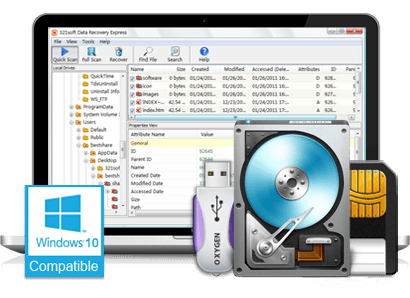
321Soft Data Recovery Express FAQ:
Q: I've downloaded the trial version but its not displaying the list of drives in my computer... Please suggest any workaround?
A: For correct working on Windows 8, 10 and Windows 11, Please start the software using right clicking on the program icon, and selecting "Right as Administrator" menu item.
Q: I've downloaded the trial version but its not displaying the list of drives in my computer... Please suggest any workaround?
A: For correct working on Windows 8, Please start the software using right clicking on the program icon, and selecting "Right as Administrator" menu item.
Q: How do I install 321Soft Data Recovery Express?
A: 321Soft Data Recovery Express is designed to be compact "green-ware" without any installation. You need only the EXE file and one DLL to run it.
Just unpack the archive you downloaded and it's runnable.
Q: Can 321Soft Data Recovery Express recover files from a USB flash drive?
A: Yes, Data Recovery Express does support USB flash drive as long as it was formatted as a FAT32 or NTFS file system.
Q: I can not find some deleted files. How to do?
A: You may try a full scan to see if there are more files found. You may also go to folder "!!! Advanced - Extra !!!" and its sub folders to see if there are files you need. Sometimes, the folder name may be changed.
Q: What should I do immediately after accidental erasure to ensure that I can recover those files?
A: The most important thing is to prevent the erased file from being overwritten by another file. To do so, avoid any use of the disk where the file was erased, until after the erased file is recovered. Also, remember that Data Recovery Express should not be download and save to this disk.
Q: Why is recover to the same disk not recommended?
A: Recover to the same disk may overwrite the very segments of the disk that you're trying to recover files from. That will not leave you another recovery chance.
Q: Does 321Soft Data Recovery Express support MAC OS X?
A: No, 321Soft Data Recovery Express supports Windows system including: Windows 10, 8, 7, XP, and Windows 11. You can not use it on Mac OS X.
If you need a Data Recovery software that works on Mac OS X, please download the 321Soft Data Recovery for Mac.
Q: I've downloaded the trial version but its not displaying the list of drives in my computer... Please suggest any workaround?
A: For correct working on Windows 8, 10 and Windows 11, Please start the software using right clicking on the program icon, and selecting "Right as Administrator" menu item.
Q: I've downloaded the trial version but its not displaying the list of drives in my computer... Please suggest any workaround?
A: For correct working on Windows 8, Please start the software using right clicking on the program icon, and selecting "Right as Administrator" menu item.
Q: How do I install 321Soft Data Recovery Express?
A: 321Soft Data Recovery Express is designed to be compact "green-ware" without any installation. You need only the EXE file and one DLL to run it.
Just unpack the archive you downloaded and it's runnable.
Q: Can 321Soft Data Recovery Express recover files from a USB flash drive?
A: Yes, Data Recovery Express does support USB flash drive as long as it was formatted as a FAT32 or NTFS file system.
Q: I can not find some deleted files. How to do?
A: You may try a full scan to see if there are more files found. You may also go to folder "!!! Advanced - Extra !!!" and its sub folders to see if there are files you need. Sometimes, the folder name may be changed.
Q: What should I do immediately after accidental erasure to ensure that I can recover those files?
A: The most important thing is to prevent the erased file from being overwritten by another file. To do so, avoid any use of the disk where the file was erased, until after the erased file is recovered. Also, remember that Data Recovery Express should not be download and save to this disk.
Q: Why is recover to the same disk not recommended?
A: Recover to the same disk may overwrite the very segments of the disk that you're trying to recover files from. That will not leave you another recovery chance.
Q: Does 321Soft Data Recovery Express support MAC OS X?
A: No, 321Soft Data Recovery Express supports Windows system including: Windows 10, 8, 7, XP, and Windows 11. You can not use it on Mac OS X.
If you need a Data Recovery software that works on Mac OS X, please download the 321Soft Data Recovery for Mac.

I couldn't believe it when my pc crashed and I lost a year's worth of my univeristy work. Data Recovery Express clearly explained their process and costs. Within a week my university data was recovered and I was back on track with my studies. That's what I call a real life saver!
 - Brook
I sent my drive to two firms before trying Data Recovery Express, one couldn't recover it the other quoted pricing through the roof. I got all my photos and data back for a reasonable price and was very happy with the service.
- Henry
- BrookI sent my drive to two firms before trying Data Recovery Express, one couldn't recover it the other quoted pricing through the roof. I got all my photos and data back for a reasonable price and was very happy with the service.
- Henry
Awards:




Find out why we're ranked #1
Try Data Recovery Express today. You're fully covered by our software free trial version


