
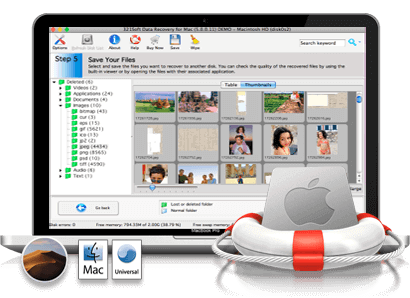
Recover deleted files even if they were emptied from the Trash!
Did you accidentally delete the files from your Mac hard drive and empty the Trash Bin? Wanting to know how to recover deleted trash Files? Afraid that it's gone forever and you'll never get it back?
This article will help you to recover files erased from the Mac trash Bin.
When you delete your trash, it will be permanent and you will not be able to retrieve the items you have deleted. Luckily by using 321Soft Mac data recovery software, almost high chances are to restore deleted files from Mac trash. It will help you to recover deleted trash files easily without making much effort.
Recover Deleted Trash Files on Mac
Did you accidentally delete the files from your Mac hard drive and empty the Trash Bin? Wanting to know how to recover deleted trash Files? Afraid that it's gone forever and you'll never get it back?
This article will help you to recover files erased from the Mac trash Bin.
When you delete your trash, it will be permanent and you will not be able to retrieve the items you have deleted. Luckily by using 321Soft Mac data recovery software, almost high chances are to restore deleted files from Mac trash. It will help you to recover deleted trash files easily without making much effort.
Awards:




Tips for successful file recovery:
- Never download or install any data recovery software on the same volume or drive.
- Do not use the drive or volume further after the deletion of files.
- Run the 321Soft data recovery, choose an appropriate option for scanning the volume or drive which contains the deleted files.
Deleted files from trash bin on Mac OS X
When a file is deleted under the Mac OS X operating system, the file is moved to the trash bin. Once the file has been emptied from the trash bin, the name is completely wiped from the HFS+ file system. The only way to recover the data is to look for the RAW bits and bytes of the file using the file signature search algorithm. Therefore, it is very important to make sure when scanning a Mac volume for deleted data, the RAW analyzer option is always selected.Follow the steps below to Recover Deleted Trash Files on Mac:
Step 1: Run the application and click "Continue" to start the wizard which will guide you through the data recoery process.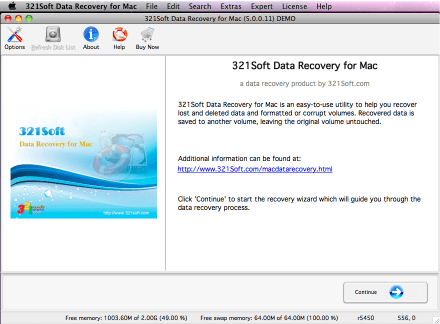
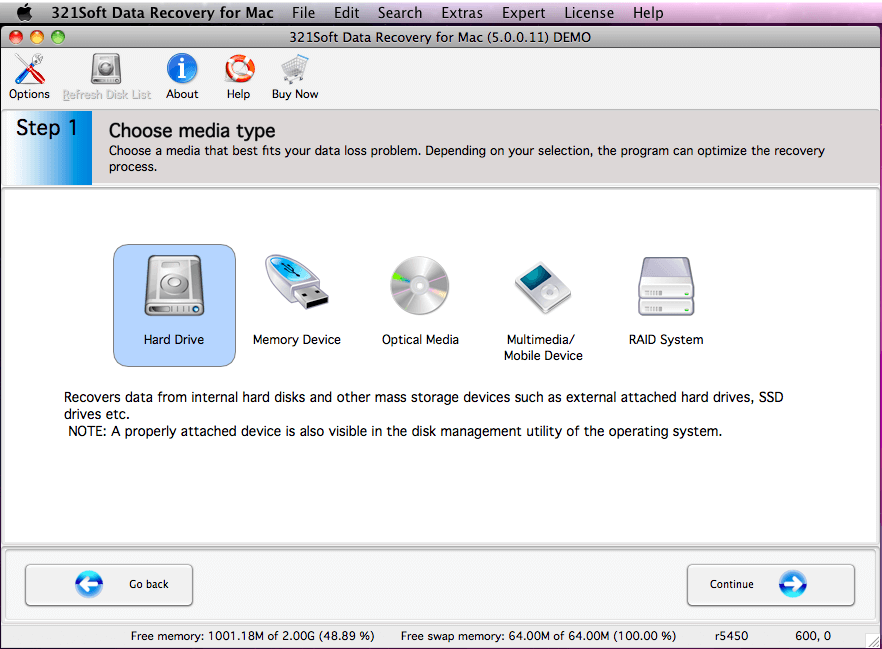
Step 2: Click the"Hard Drive" icon and click "Continue" buttom.
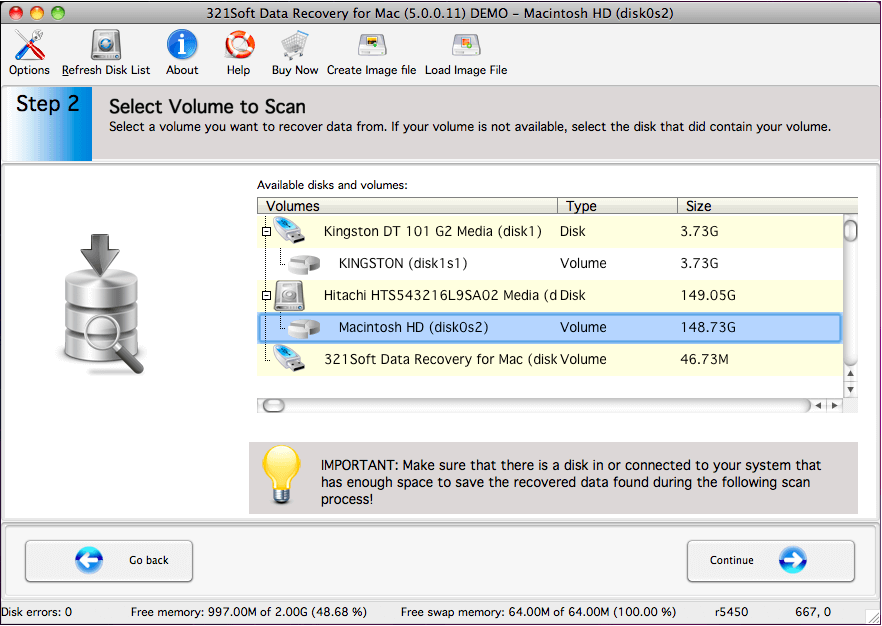
Step 3: Select the volume from which the files were deleted.
Step 4: Click the "Deleted File Recovery" icon and Check "RAW scan" option
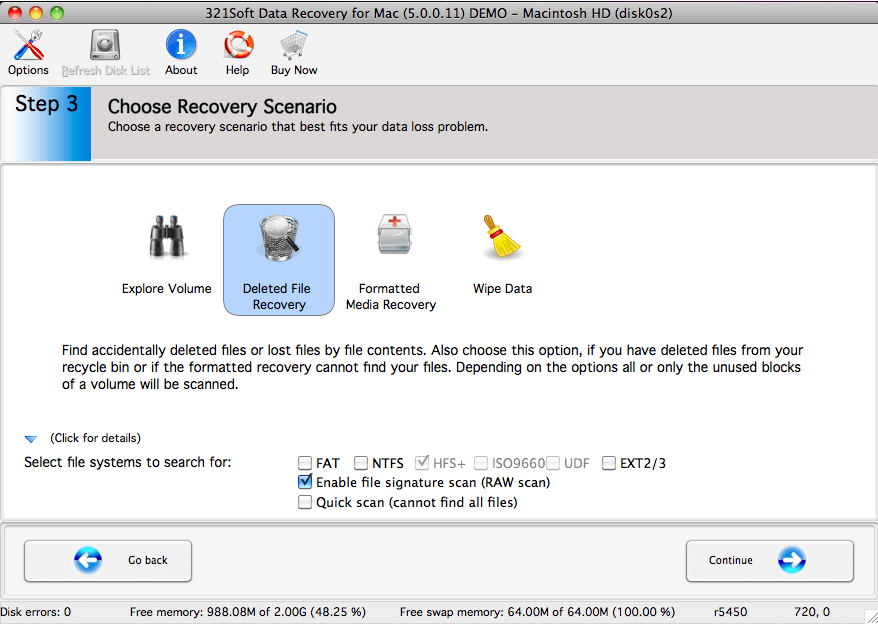
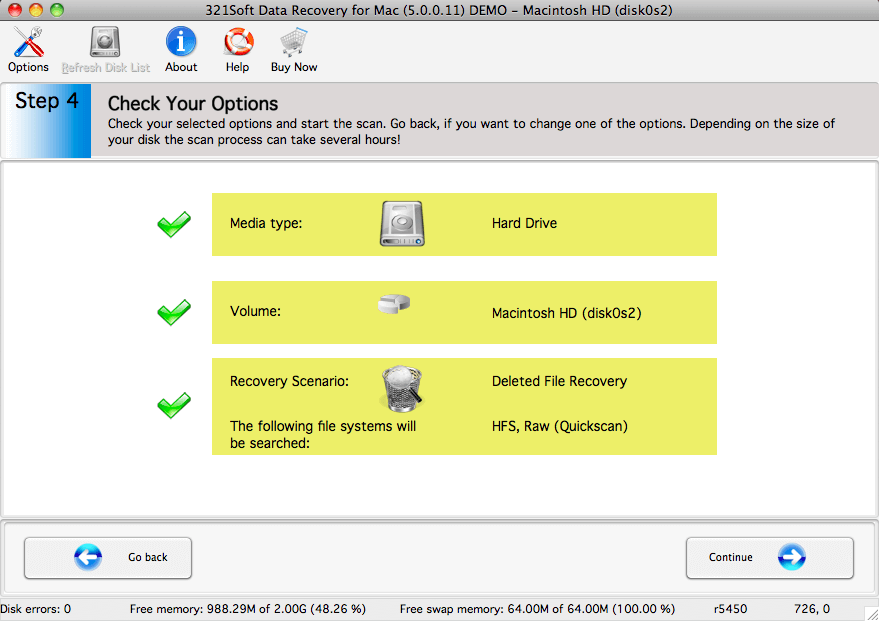
Step 5: Check your selected options, If you are satisfied with your options that you have chosen, click the "Continue" button to begin the scan for deleted files.
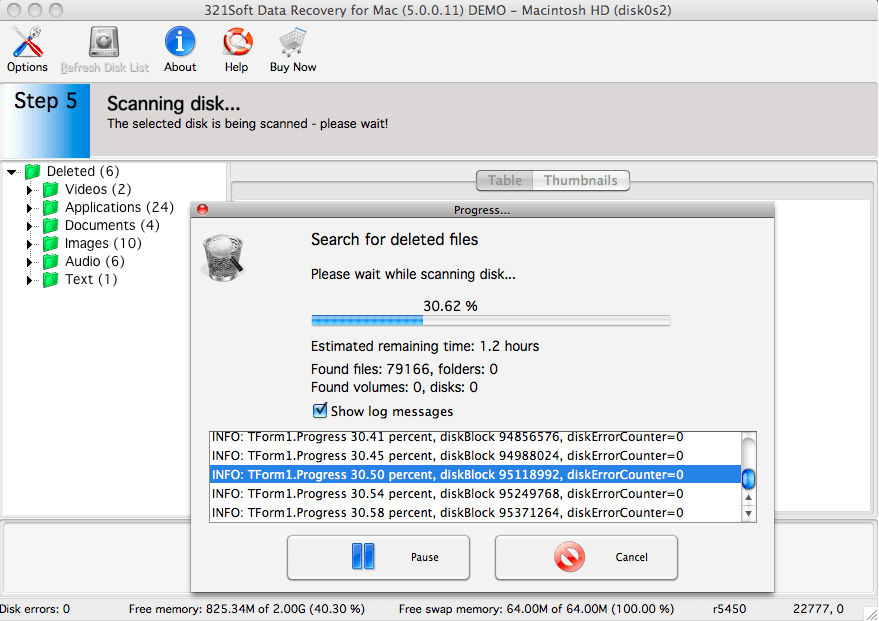
You will see the scan progress in the progress bar below. You can interrupt the scan by clicking the "Pause" button or view Log messages by check the Show Log messages box.
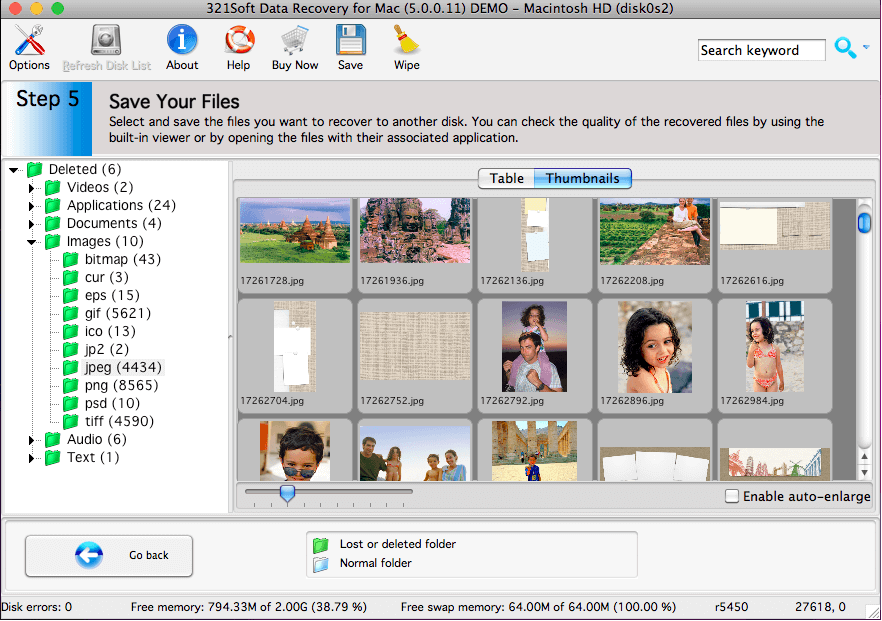
Step 6: Preview and save the recoverable files, To save the files, you would select the files on the right side of the screen and click the "Save" icon in the tool bar.
To select multiple files either use the Shift key (to select several files in succession) or the Ctrl key (to select individual files) of your keyboard. If you wish to select all items in the file list, choose Select all from Edit menu.
Please notice that the scan may have found partial or corrupt files. Test the files with your application to actually find out if the files could be recovered completely.
in addition, For HFS volumes it is impossible to recover the file with its correct name except for the MP3 file.
Caution: The scan results are temporary in memory. If you click the "Go Back" button, the scan results will be lost.
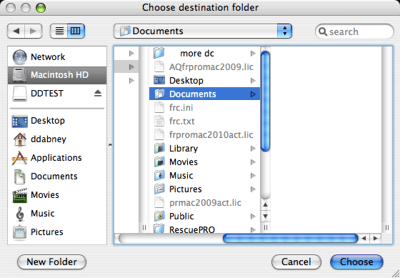
A typical save dialog will be displayed, and you will be able to recover your deleted files to another storage device or another drive letter in the system.
Ready to recover deleted trash files on Mac? Just click the button below and begin recover your files!
Find out why we're ranked #1
Ready to recover deleted trash files? Download the Free version Now!


